
The same week.
Two surfaces.
Both are PDF files, both are there the moment you buy. The difference is what you write on: a tablet with a stylus – or on paper you print yourself. The weekview concept behind it is exactly the same in both cases.
No program. One file.
A weekview Digital Planner is not an app you subscribe to, and not an account you set up. It is an interactive PDF – a file you download and open in the program you already use: GoodNotes on the iPad, Xodo on Android and Windows, Acrobat or PDF-XChange on the computer.
What sets it apart from an ordinary PDF are the clickable tabs along the edge. A tap on Mar jumps to March, one on Wk 14 jumps to calendar week 14. You write with an Apple Pencil, a stylus, a keyboard or a mouse – the PDF takes them all.
The print edition is the same planning without a screen: a PDF you print as often as you like – single- or double-sided, in A4, A5 or as a large wall format.
What both have in common
- Instant download – no parcel, no shipping, no waiting
- Free of shipping costs, because there is nothing to ship
- The same weekview concept: weekly rhythm, priorities A, B and C, goals and reflection
- Calendar weeks to ISO 8601
- Use it as often as you like – the file never expires
- For personal use only, not for sharing
Four ideas that hold true on screen too
They are the reason weekview plans differently from an ordinary calendar – and they open every planner as an introduction, printed and digital alike.
Recognise what matters
Life goals become yearly, quarterly and monthly goals – and from those come your concrete weekly priorities A, B and C.
Live in a weekly rhythm
The week is the natural beat. Six days of work, one day of rest: close the old week, begin the new one consciously.
Strengthen the inner person
Outward action follows what is inside. That is why every week carries a quote that invites you to think.
Keep sight of your life
A quarter of an hour of planning saves days of work. Thoughts get a fixed place – and are found again.
Screen or sheet?
You download both instantly, and neither costs a penny in postage. The difference is where your handwriting ends up. Switch over and compare.
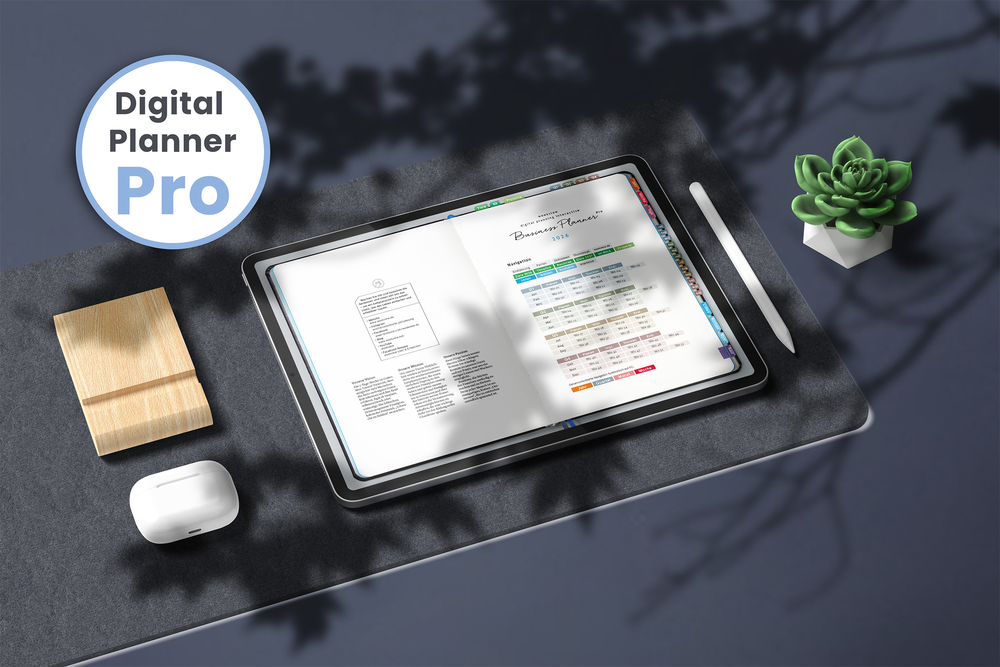
Digital Planner
One PDF with clickable tabs: a tap jumps to the quarter, the month, the calendar week. You write with a stylus or a keyboard – and everything stays in your cloud, not in somebody else’s account.
- Digital Planner Pro A4 for 2026 and 2027 – weekly planning, goal system, project pages
- Business 2026 with clickable tabs, single- or double-sided
- Notebooks squared and dotted with a linked overview
- Wall planners and year planners as a PDF – also for PowerPoint and Word
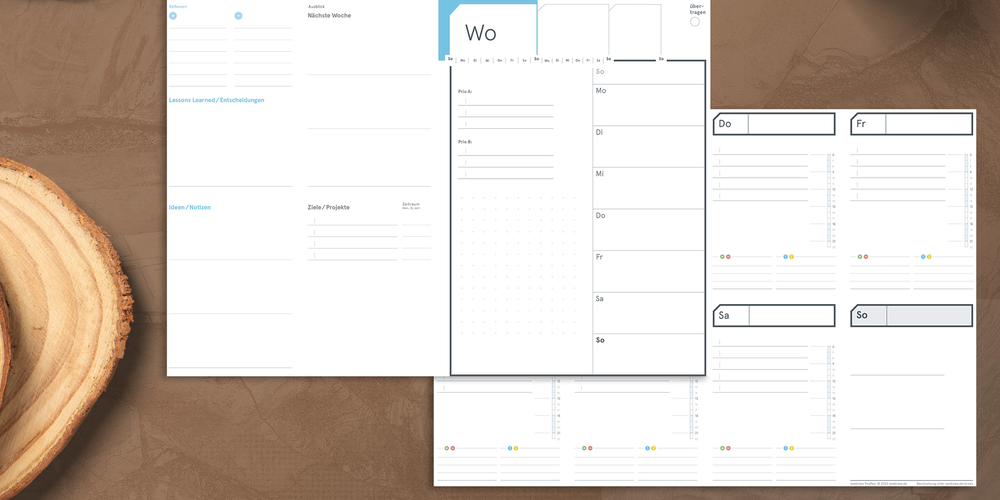
Print editions
The same planning as a print-ready PDF. You choose the paper, the format and the binding – and print exactly as many weeks as you need. Even years later.
- A4 planner and Business inserts A5 for 2026 and 2027, single- and double-sided
- Year chronicle and 10-/20-year chronicle to hang on the wall
- 8-year overview: one year back, seven ahead
- Goals Board, Tiny Week, LifeCoach and ESSENTIALS
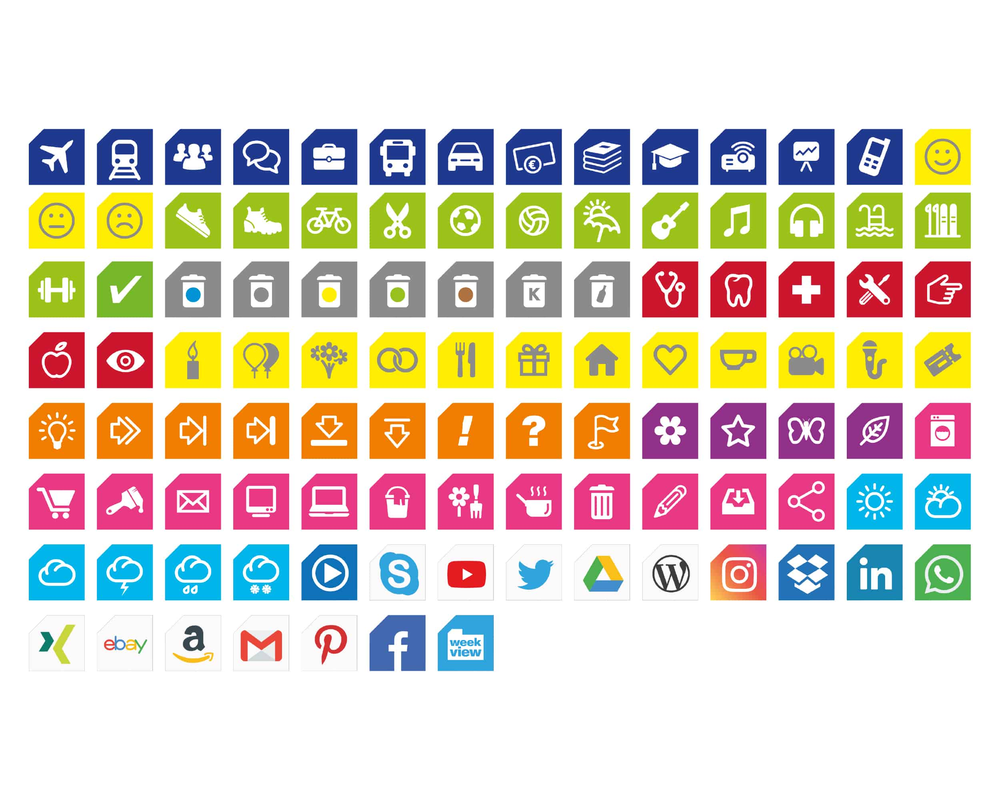
Stickers & Headers
What a sticker is on paper is a PNG file digitally: freely scalable, loaded one by one, clearly named. Just drag it into GoodNotes, Xodo, Word or PowerPoint.
- Digital Sticker: colourful symbols from travel to weather, plus services and brands
- Digital Header: quarters, months, weekdays and backlog to done
- Works in any program that imports PNG
- For personal use only, not for sharing
Still undecided? Many items are called Digital Planner / print edition – the same file does both, on screen and on paper.
This applies to every file here
There instantly
The download is ready the moment you buy. No parcel, no delivery time, no shipping – and therefore no shipping costs. Even at ten on a Sunday evening.
Never expires
The file is yours. No subscription, no account, no server that gets switched off one day. A PDF from 2026 still opens in 2030.
As often as you like
A print edition can be printed as often as you like – a fresh week when one goes wrong, or the whole quarter all over again.
Your program
GoodNotes on iOS, Xodo on Android and Windows, PDF-XChange or Adobe Acrobat on the computer. weekview does not dictate what you work with.
The same logic
Weekly rhythm, priorities A, B and C, goals, reflection and note management – if you know the printed planner, you will find your way instantly.
For you, not for everyone
The files are intended for your own use. Passing them on or uploading them to public platforms is not permitted – your own cloud, however, is fine.
What do you write on?
That is the whole question – and it has nothing to do with technology, but everything to do with a habit: Is there a tablet or a sheet of paper beside you?
If you already work with a stylus on your tablet , choose the Digital Planner. It brings what paper cannot: clickable tabs, a search function, cloud sync across devices – and never a page that runs out.
If you think best writing by hand, choose the print edition. It brings what the screen cannot: no battery, no distraction, no switching – and a sheet you can lay beside your keyboard while the screen shows something else.
The two do not rule each other out. That is why many items are called Digital Planner / print edition: the same file, two uses. And the Stickers & Headers only fit on the digital page anyway.
Three sentences we hear a lot
The same planner, the same week – and yet three completely different ways to pick it up.
“I don’t carry anything around any more.”
One device, every year, every note searchable. The stylus writes like on paper, the tabs jump to the right quarter – and on a plane it weighs nothing.
Digital Planner Pro A4“I need my own format.”
Single- or double-sided, on heavier paper, punched yourself for your own binder. And if a week goes wrong, a fresh sheet simply comes out of the printer.
A4 planner and Business inserts A5“Digital at my desk, printed on the wall.”
The weekly planner runs on the iPad, the year overview hangs printed beside it. The same file does both – which is why many items are called Digital Planner / print edition.
Wall planners and year planners as PDFsBefore you download
Do I need a subscription or an account?
Which programs do I need?
What makes the PDF “interactive”?
Can I print a print edition more than once?
Are there any shipping costs?
What does “Digital Planner / print edition” in the name mean?
And the stickers – are they stick-on stickers?
One week. Two surfaces.
Take the Digital Planner if your stylus is already sitting on the tablet – and the print edition if you think best writing by hand. Either one is downloaded in two minutes.