


At a glance 2027 All details
| Calendar year | 2027 |
|---|---|
| Included in delivery | digital PDF file with links (navigation) |
| Product type | Digital Planner |
| System | A4 / digital for tablet |
| Version | double-sided, with navigation |
| Delivery time | Available as an instant download |
| Item number | SW11197 |
Digital Planner | Business 2027 | with navigation, double-page
€29.95
Preis inkl. MwSt.
Free shipping
Available, delivery time: Available as an instant download
At a glance 2027 All details
| Calendar year | 2027 |
|---|---|
| Included in delivery | digital PDF file with links (navigation) |
| Product type | Digital Planner |
| System | A4 / digital for tablet |
| Version | double-sided, with navigation |
| Delivery time | Available as an instant download |
| Item number | SW11197 |
Product information "Digital Planner | Business 2027 | with navigation, double-page"
weekview · Digital Planner
Digital Planner Business 2027 – with navigation, double-page
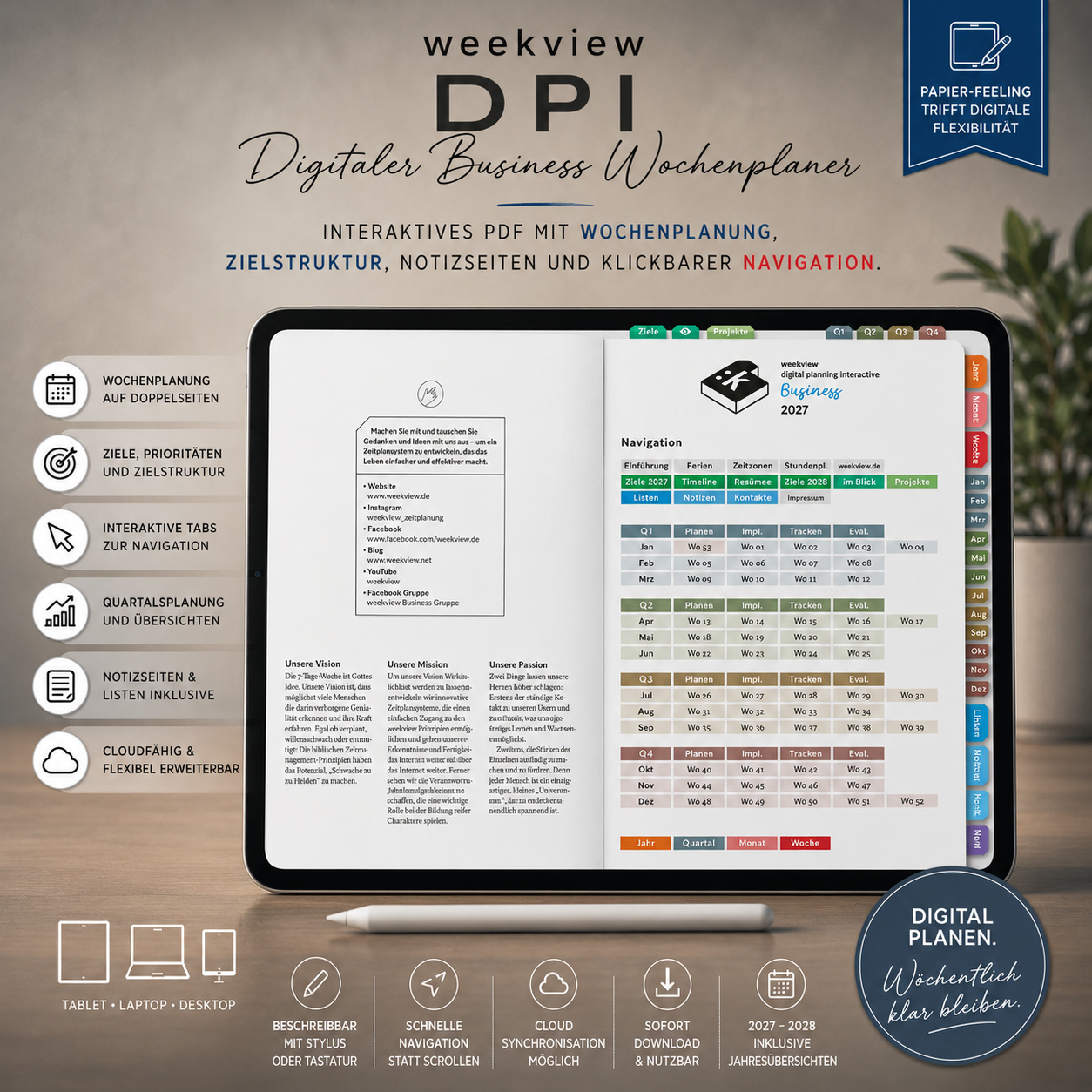
The proven weekview weekly layout, fully digital for Your tablet. One week is laid out as a Landscape double page in front of You – appointments, priorities and notes at a glance. Clickable tabs let You jump between year, quarter, month and week in seconds.
Double page or single page?
This edition shows the week just as You know it from the printed weekview: both pages side by side on one PDF page, in landscape format. You see the whole week without flipping pages – perfect for an iPad held sideways or the desktop.
Do You prefer planning in portrait or on a smaller display? Then take the single-sided version – there, each page sits individually in portrait format.
What's inside
The week as pacesetter
Appointments, weekly goals and notes bundled – You plan in the rhythm of the week instead of the chaos of single days.
Goals across the year
Annual overviews, quarterly planning and goal structure keep the big picture in view while the week runs.
Room to think
42 notes pages and 20 freely definable lists – for projects, ideas and everything that would otherwise get lost.
Clickable tabs
The pages are linked throughout. One tap is enough, and You're at the month or week You're looking for.
Made for these apps
The planner works in all common PDF note-taking apps with hyperlink support, for example GoodNotes (iOS, Android, Windows), Notability, Noteshelf, Xodo, PDF-XChange or Adobe Acrobat.
- Dated: calendar year 2027
- Included: public holidays, annual overviews and time zone map
- Delivery: digital PDF file with navigation – available for download immediately after purchase
- No shipping, no shipping costs
Frequently asked questions
What does “double-sided” mean?
Which apps can I use the planner in?
What does “with navigation” mean?
Do I need a pen?
How do I get the file?
Can I use the planner multiple times?
Properties:
| Brand: | weekview |
|---|---|
| Calendar year: | 2027 |
| Included in delivery: | digital PDF file with links (navigation) |
| Product type: | Digital Planner |
| System: | A4 / digital for tablet |
| Version: | double-sided, with navigation |
3 reviews
On: 20 December 2025 10:00
Review of the 2026 edition – same planner, previous year
Beste Kombi von digitaler Technik und klassischem Kalender!
Für mich die ideale Kombination aus digitaler Technik und klassischem Kalender. Seit vielen Jahren ein fester Bestandteil auf meinem iPad. Unabhängig davon bin ich vom Engagement des Familienunternehmens Weekview begeistert und ein zufriedener und treuer Kunde. Vergelt's Gott!
On: 16 December 2025 10:00
Review of the 2026 edition – same planner, previous year
Für mich optimal, da ich täglich mit dem Ipad arbeite.
Top Planer. Ich nutze ihn schon seid mehreren Jahren auf meinem Ipad. Super handling, sehr übersichtlich. Für mich optimal, da ich täglich mit dem Ipad arbeite.
On: 7 November 2025 10:00
Review of the 2026 edition – same planner, previous year
sehr nützlich und immer dabei auf meinem Device
Das elektronische Gegenstück zu. meinem Papierplaner für unterwegs auf allen meinen Devices in sync